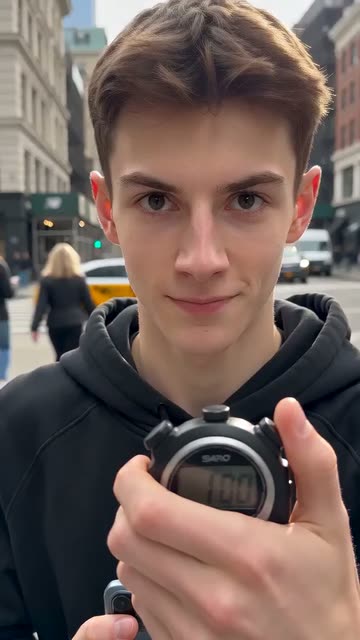
Running Timer
Best for: Cooking, challenges, speedruns, study tips
The hook
- Do
- Put a running clock or countdown in the first frame.
- On screen
- 60 seconds to make dinner
The first 3 seconds
- 0.0sThe timer is already running in the corner.
- 0.5s“60 seconds to make dinner.”
- 1.5sYou're already moving fast.
- 3.0sThe viewer is watching the clock and wants to know if you make it.
Why it works
A visible clock creates pressure, and the viewer wants to see if you beat it.
What you need
- A real timer or stopwatch, or a timer sticker in your editor
- A goal you can just about finish in the time
- Everything ready before you press start
Step by step
Plan
- Pick a goal and a time that's tight but possible. Practise once so you know it'll be close.
- Lay out everything first. Searching for things on camera wastes the clock.
Film
- Put a real timer in the shot (a phone or kitchen timer facing the camera), or add one later.
- Say the goal and the time limit in your first line as the timer starts.
- Film the whole attempt in real time. Don't cheat the clock; people check.
Edit
- Keep the timer on screen the whole time. CapCut has timer stickers if it's not in the shot.
- Show the timer big at halfway and at the end, and reveal the result right at the end.
Use it in your niche
- StudyTimer in the corner: “Can I learn 20 Spanish words in 5 minutes?”
- FitnessTimer in the corner: “100 push-ups, 10 minutes. Let's see.”
- CleaningTimer in the corner: “Cleaning my whole room in 10 minutes”
Pro tips
- Close is better than easy. Finishing with 2 seconds left beats finishing with 30.
- If you fail, show it. Honest fails often do better than wins.
Avoid
- Cutting out time or speeding up the clock. Viewers notice, and the comments will say so.
- A timer too small to read on a phone.